# How to restore a deleted Twilio number
When you delete and release a number, Twilio will reserve that number for 10 days in case you need it back. After 10 days, you will need to reach out to Twilio support to get the number back. If the your account is on LC phone, please contact support.
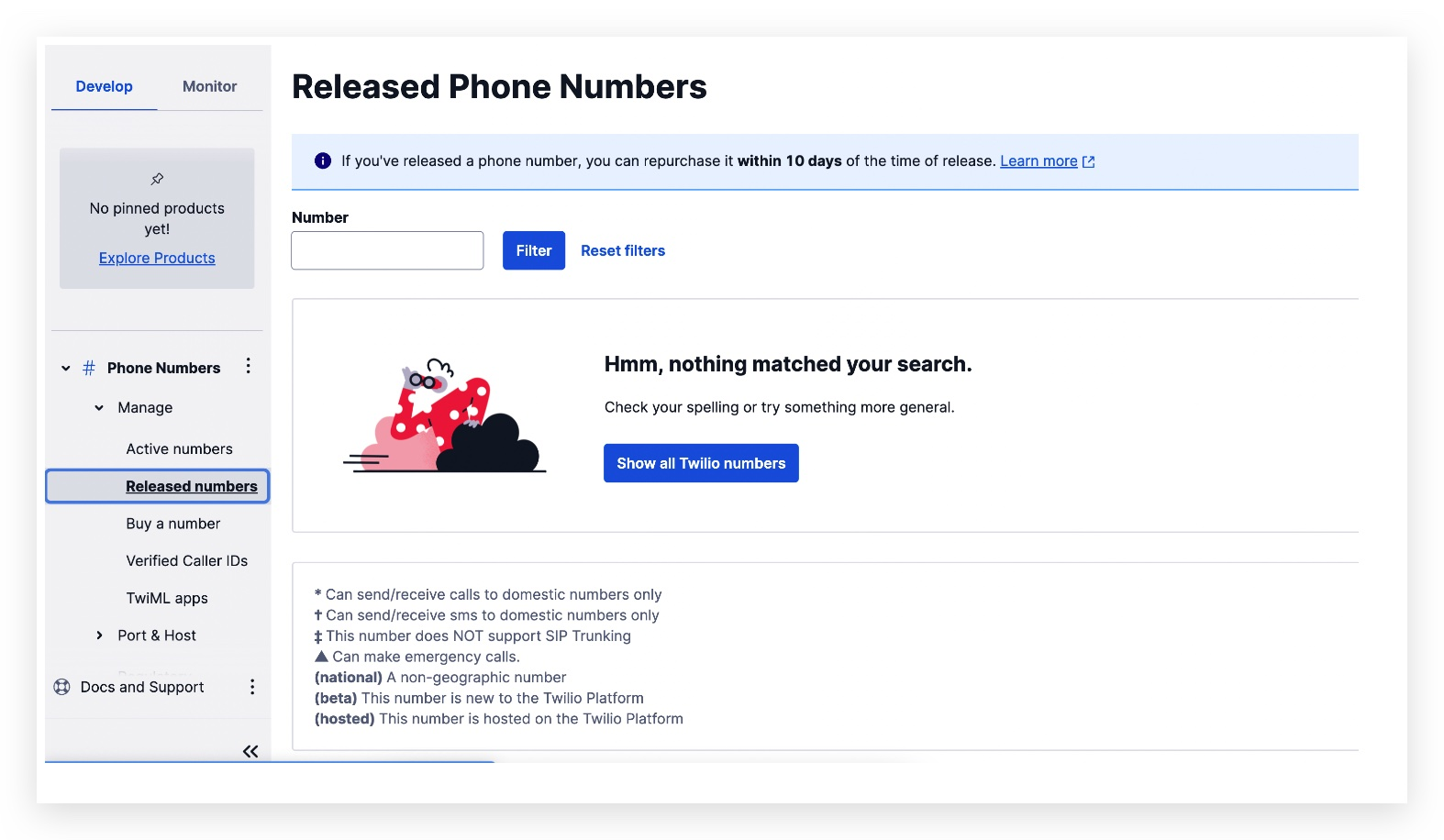
By logging in to the Twilio Console, you can restore numbers that you released in the past 10 days. Released numbers will show up on the Console's Released Numbers page.
**1. Log on to the Twilio console**
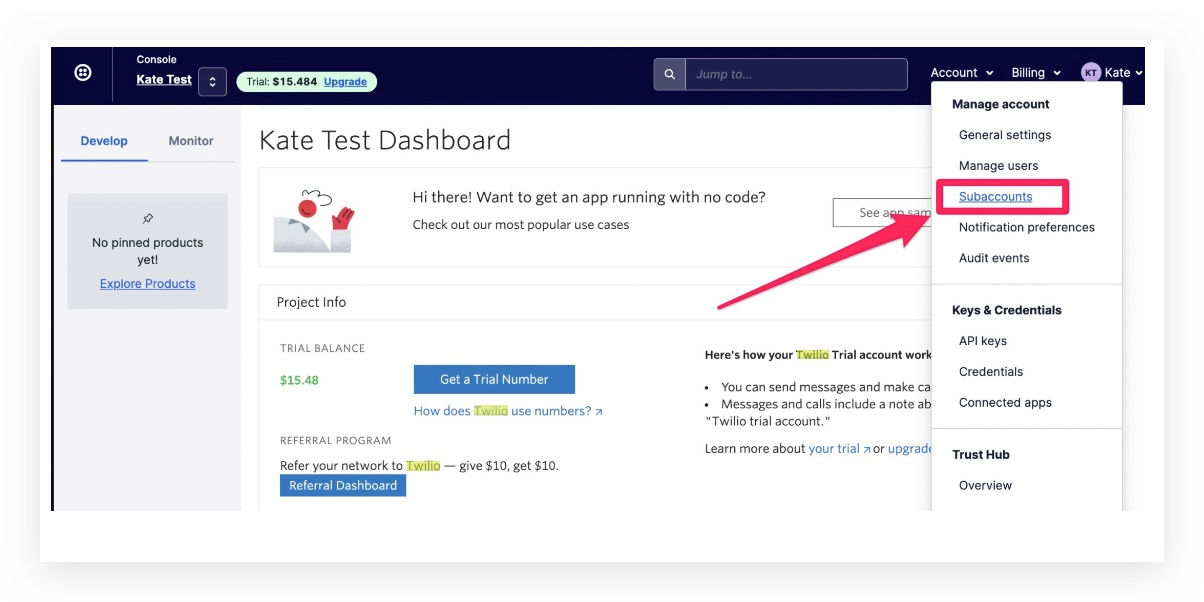
**2. Go to the top right -> Click Account -> Click on Subaccounts**
**3. If there are too many your accounts inside Twilio, you can go back to the software and copy the Account SID for that location to search in Twilio:**
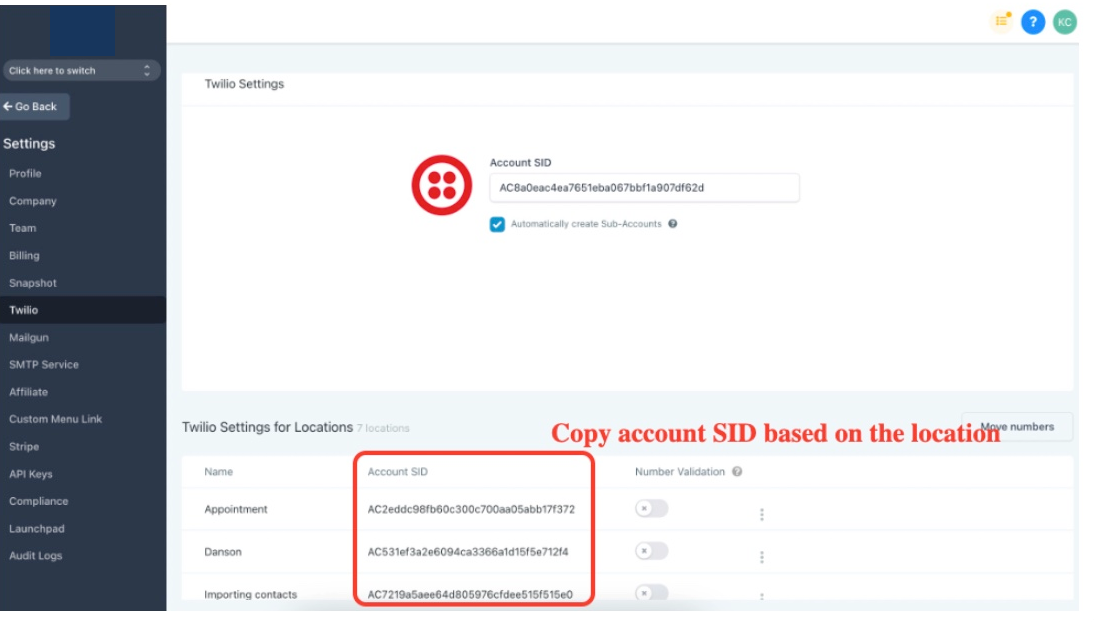
**4. Now go back to Twilio with the copied Account SID**
**5. Search based on the Twilio your account SID in agency level settings -> Twilio, Paste the Account SID here and click on it:**
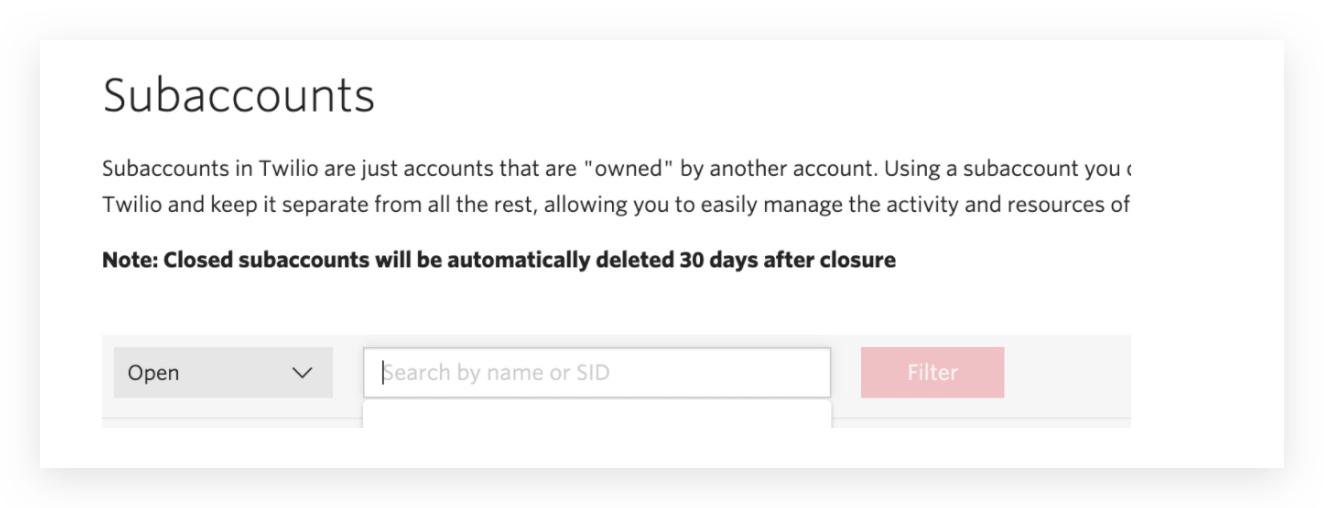
**6. Once you are in the sub account inside Twilio,**
Go to **Explore Products** > Scroll down to find **Phone numbers**
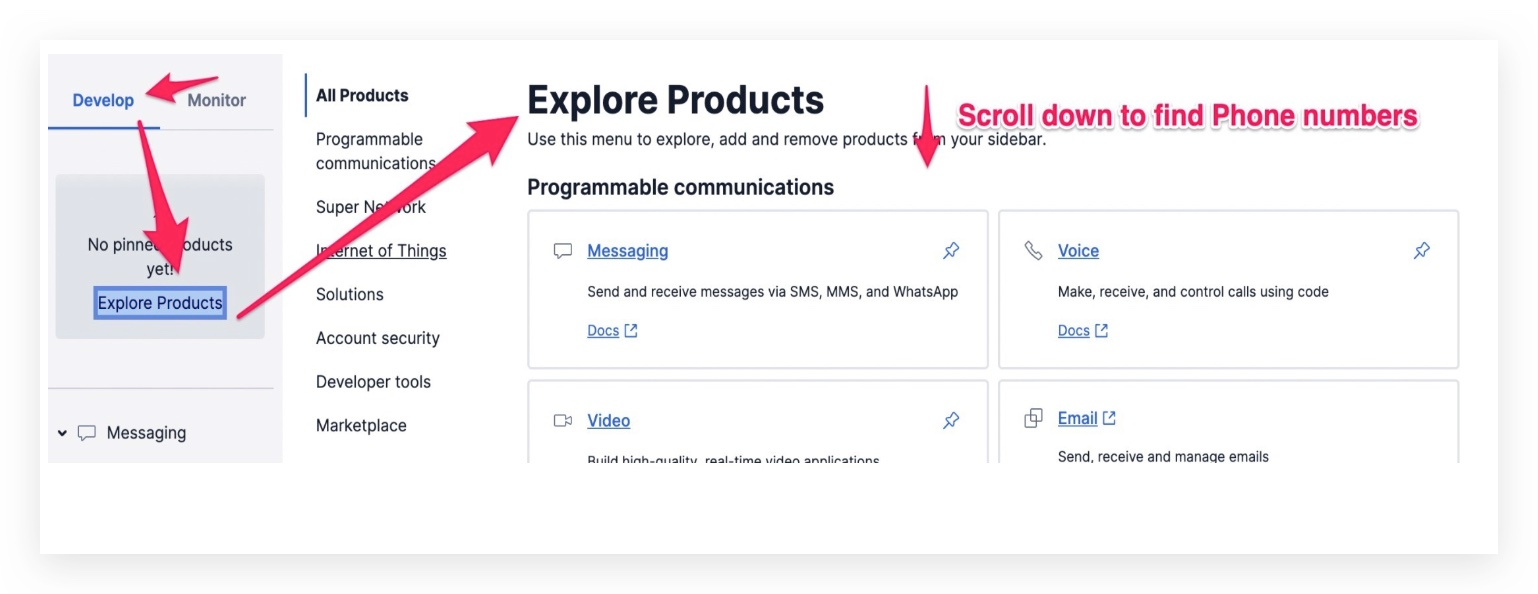
Click on **Phone numbers:**
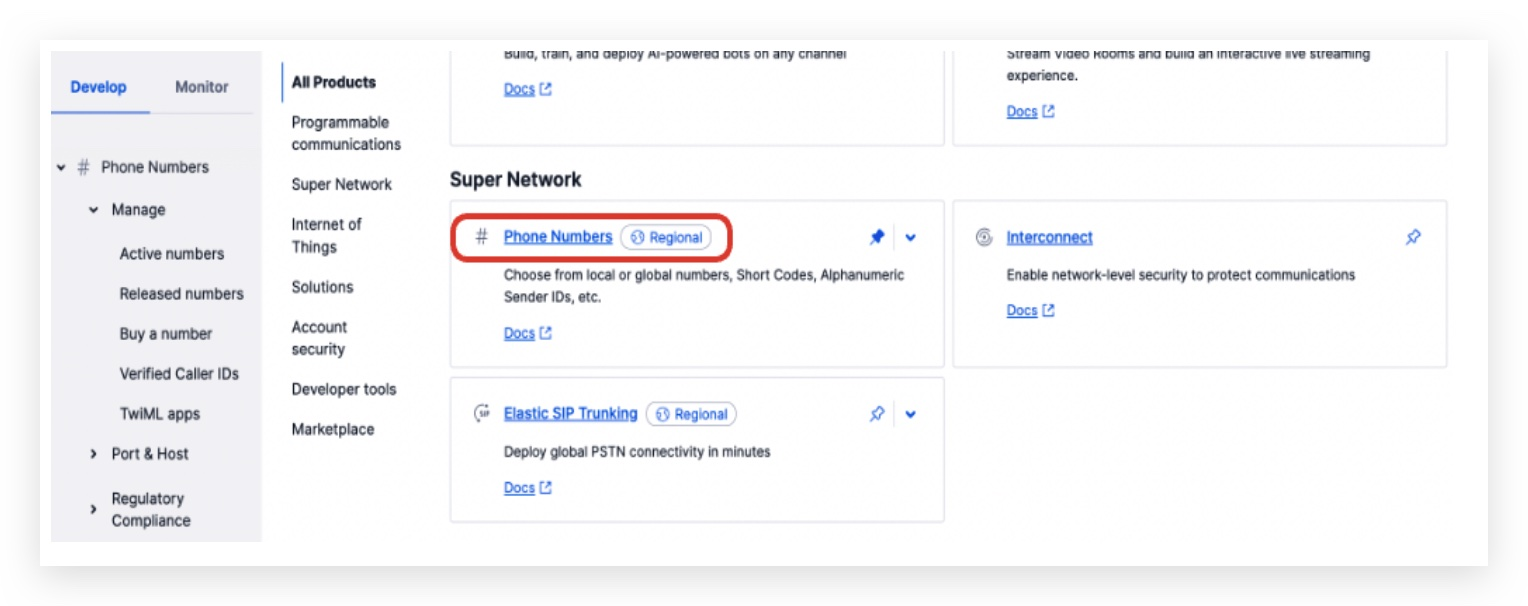
Expand Phone Numbers on the left menu > **Manage** > **Released numbers**
Simply click on the **Repurchase Number** button.
Note that the action is considered to be repurchasing the phone number, so you'll be charged the monthly fee upon performing the action.
If you don't see numbers you wish to restore anymore on the Released Numbers page, please contact Twilio support for help.
---
# Agent Instructions: Querying This Documentation
If you need additional information that is not directly available in this page, you can query the documentation dynamically by asking a question.
Perform an HTTP GET request on the current page URL with the `ask` query parameter:
```
GET https://help.ourarea.in/ss/phone-system/phone-numbers-8/how-to-restore-a-deleted-twilio-number.md?ask=
```
The question should be specific, self-contained, and written in natural language.
The response will contain a direct answer to the question and relevant excerpts and sources from the documentation.
Use this mechanism when the answer is not explicitly present in the current page, you need clarification or additional context, or you want to retrieve related documentation sections.