New Course Creation Experience — A Complete UI Transformation of Courses Builder
We’ve completely redesigned the Course Creation Module — unifying the entire experience under a new UI system and rebuilding it for faster, cleaner, and more consistent performance 🚀👉 How to Enable ?Go to Settings → Labs → Toggle on “Courses Studio 2.0 — A New Course Creation Experience.”✨ What’s NewModernized UI:Modern visuals, unified buttons, modals, and forms.No More iFrames:Native Module Federation = smoother navigation.Smarter Performance:10× faster load times with caching, lazy loading & state optimization.Consistent Design Tokens:Colors, spacing, and typography perfectly in sync.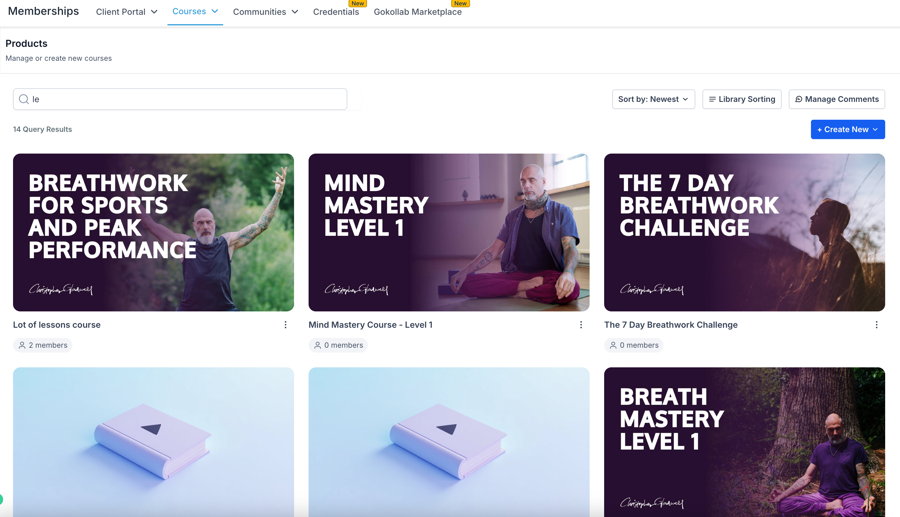
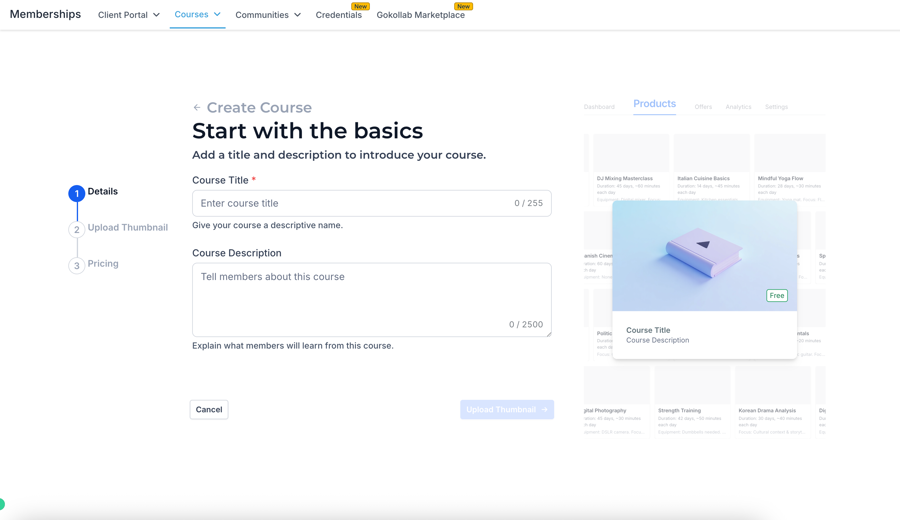
 🧭 New Course Creation Wizard
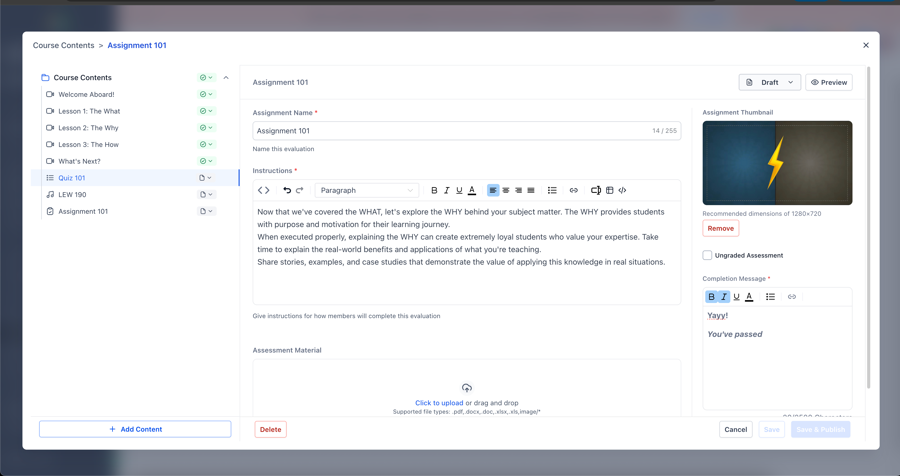
 🖥️ The Big Editor Window
Previous🚀 New Courses Dashboard — Faster, Smarter & ClickHouse-PoweredNextAI Page Revision – Visual Reference Enhancement
Last updated